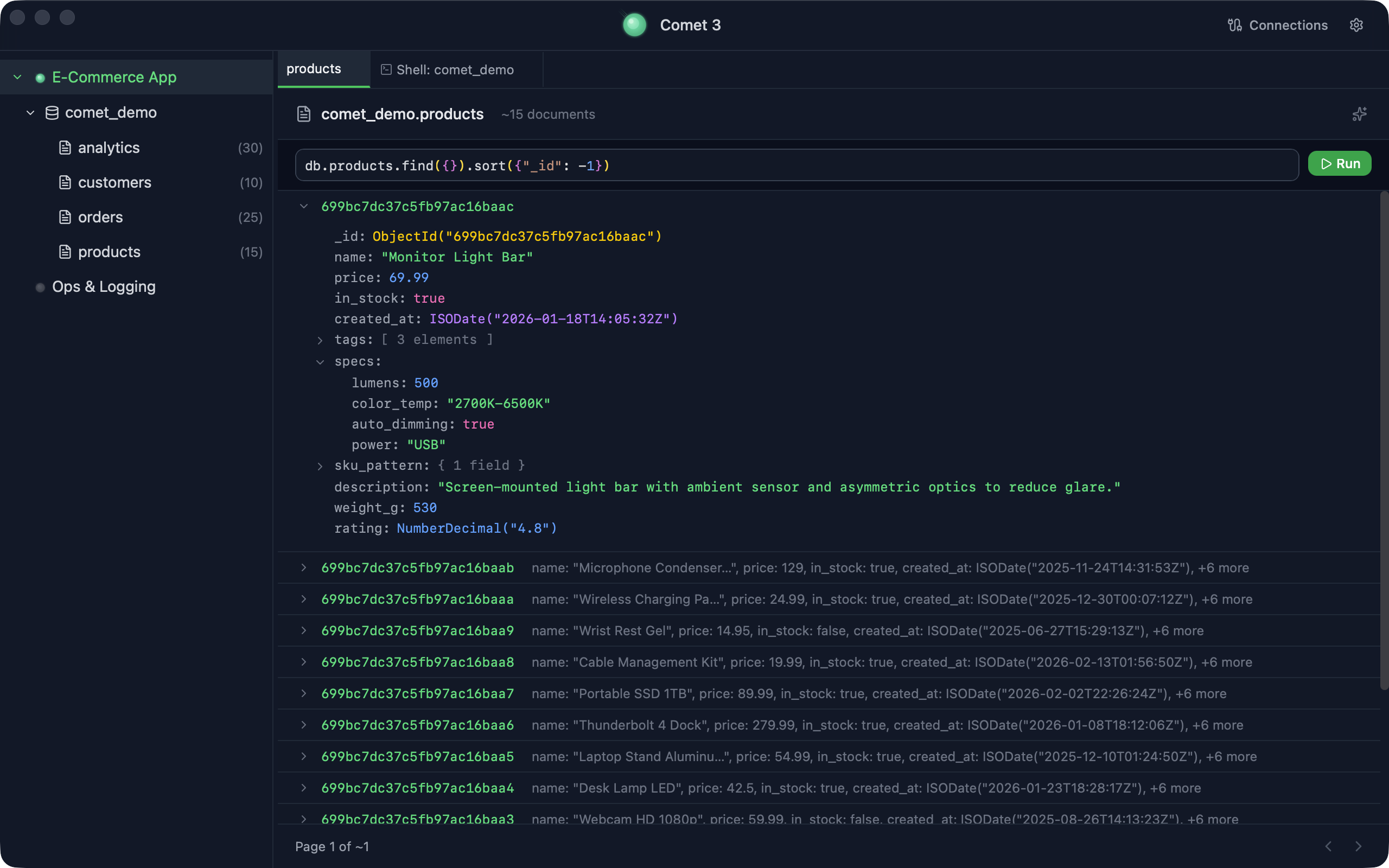
Built by engineers who use MongoDB every day.
Native macOS app. Fast, minimal, no bloat.
macOS 12+ · Apple Silicon · Free forever · See pricing
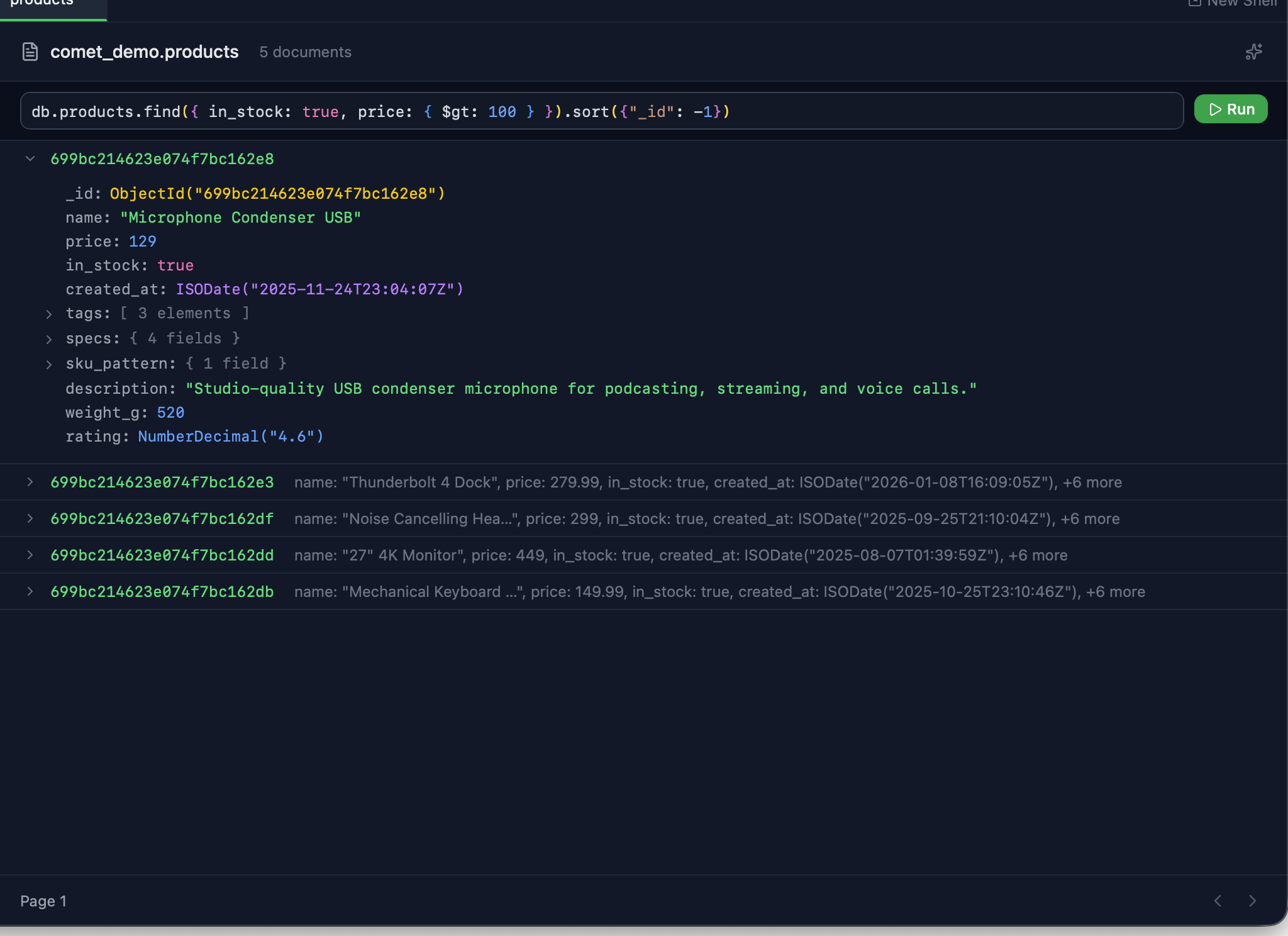
find,
aggregate,
update,
delete
with chained .sort(), .limit(), .skip().
ObjectId(),
ISODate(),
/regex/
displayed in native shell syntax. No Extended JSON clutter.
Collections, methods, 50+ query operators, pipeline stages, and field names sampled from your actual data.
Click any row to expand the tree view. Right-click to open the full Monaco editor for deep edits.
Full VS Code-quality editing with syntax highlighting, bracket matching, and BSON-aware formatting.
Edit in shell syntax — ObjectId(), ISODate(), /regex/. Saves back as Extended JSON. No data loss.
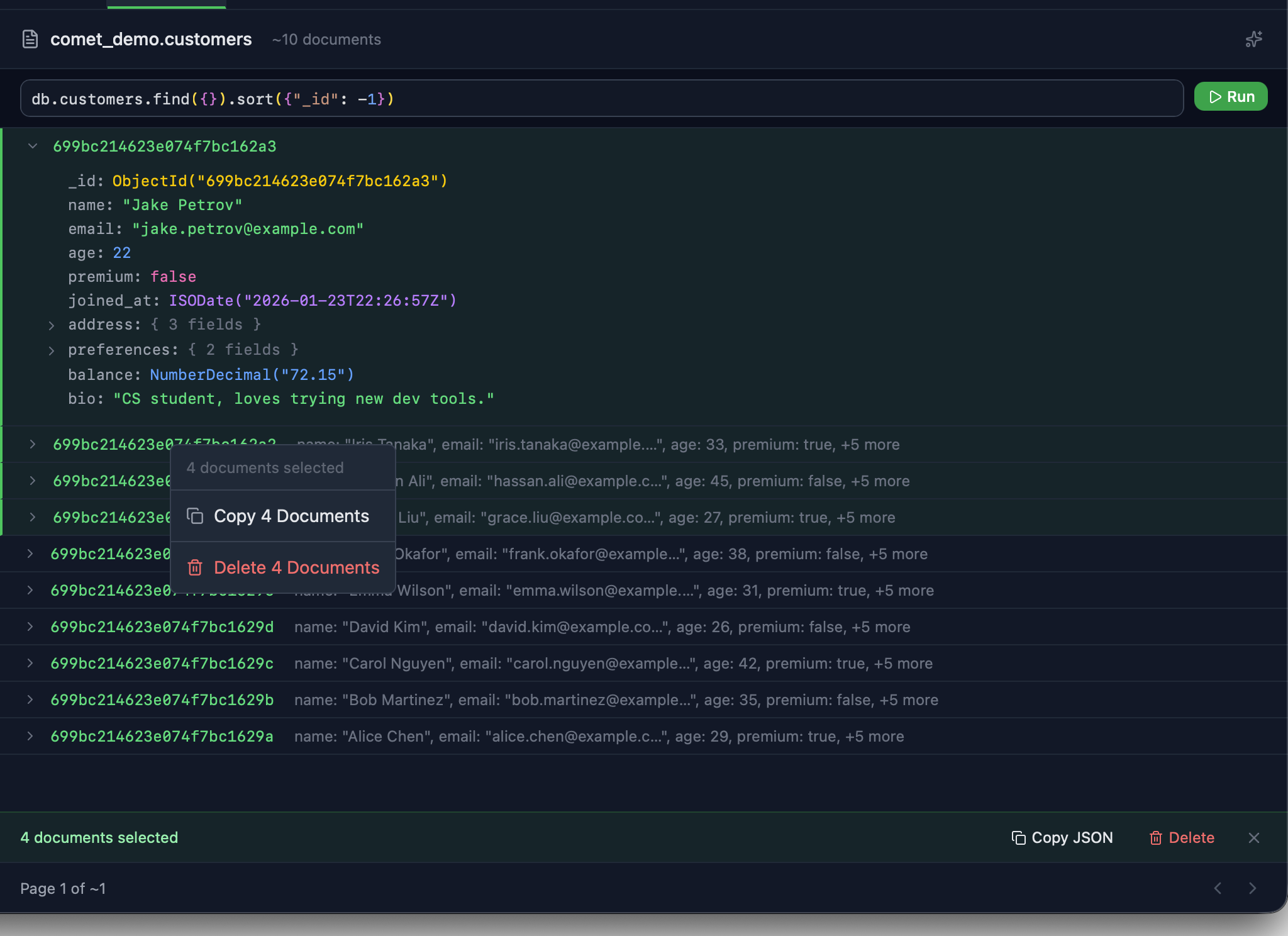
Click documents to select. Cmd+Click to add to selection. Visual checkboxes show what's selected.
Copy as JSON, delete selected, or export. Right-click for the full action menu on any selection.
Run any query with ⇧⌘E to see the full execution plan — which indexes were used, how many documents were scanned, and where time was spent.
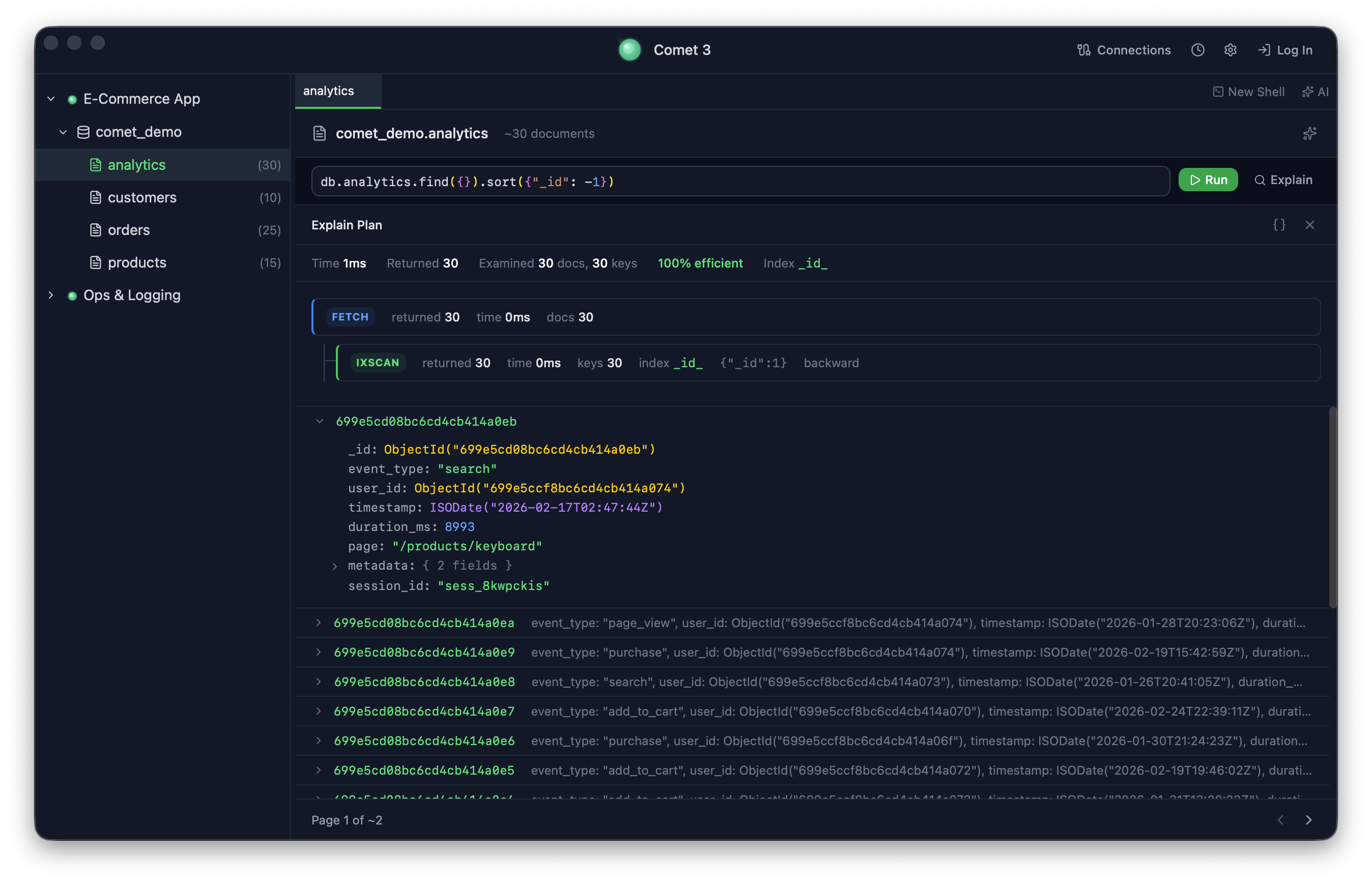
Color-coded stages: green for index scan, red for collection scan, yellow for in-memory sort. See the full query pipeline at a glance.
Docs examined vs returned, keys examined, execution time, and efficiency percentage. Instantly spot wasteful queries.
Switch between the visual tree and full raw explain output in Monaco editor. All the detail when you need it.
Open the AI chat panel and have a conversation with your database. Comet's AI uses 9 specialized tools to inspect schemas, run queries, analyze indexes, and more — all from natural language.
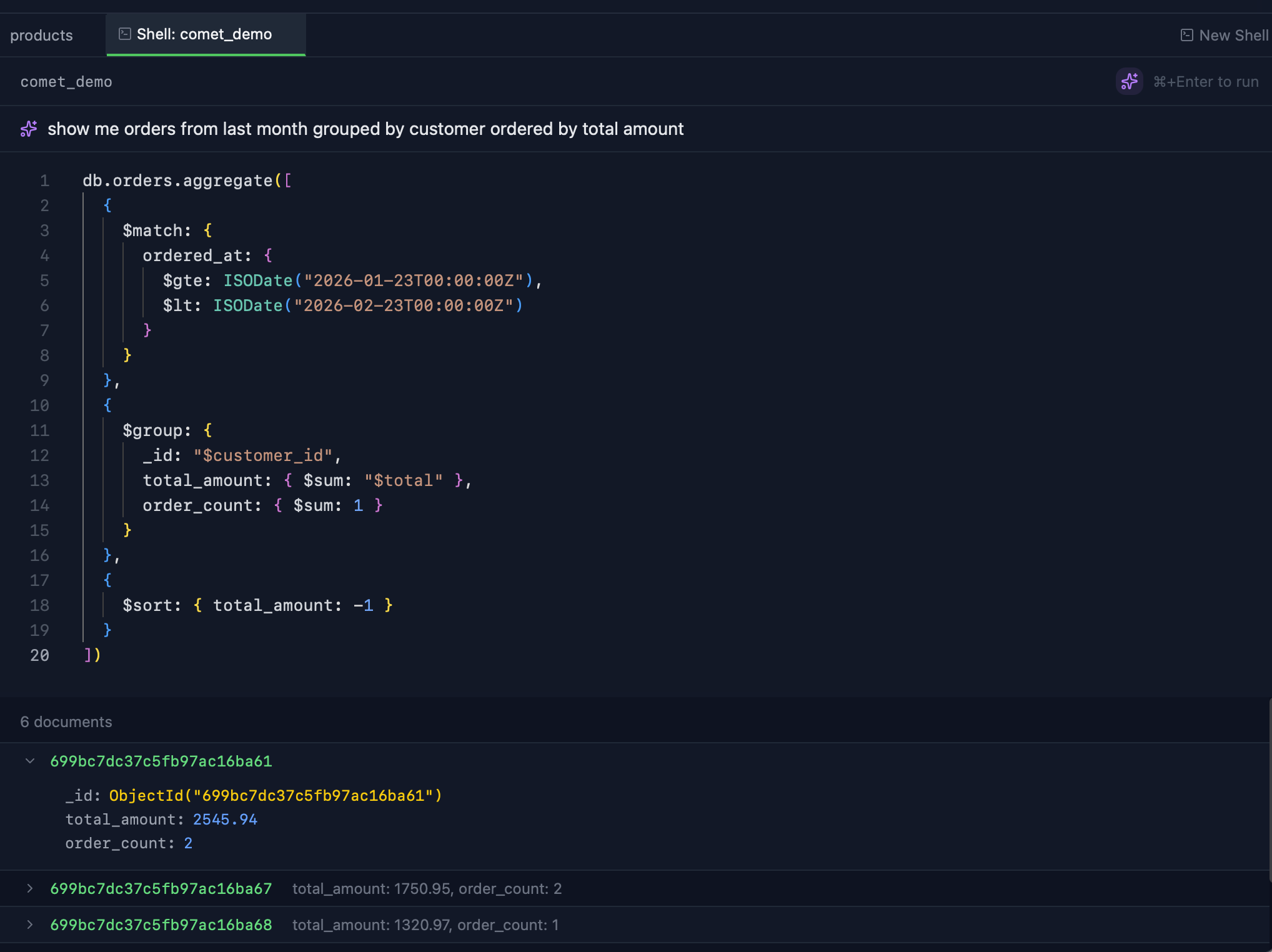
Type questions in natural language in the chat panel. Open it with ⌘I and start talking to your data.
AI inspects schemas, indexes, collection stats, and runs read queries automatically using 9 built-in database tools.
Get answers, queries, and analysis right in chat. Copy generated queries or run them directly from the conversation.
Bring your own API key. Supports Anthropic, OpenAI-compatible APIs, Claude CLI, Codex CLI, and Gemini CLI.
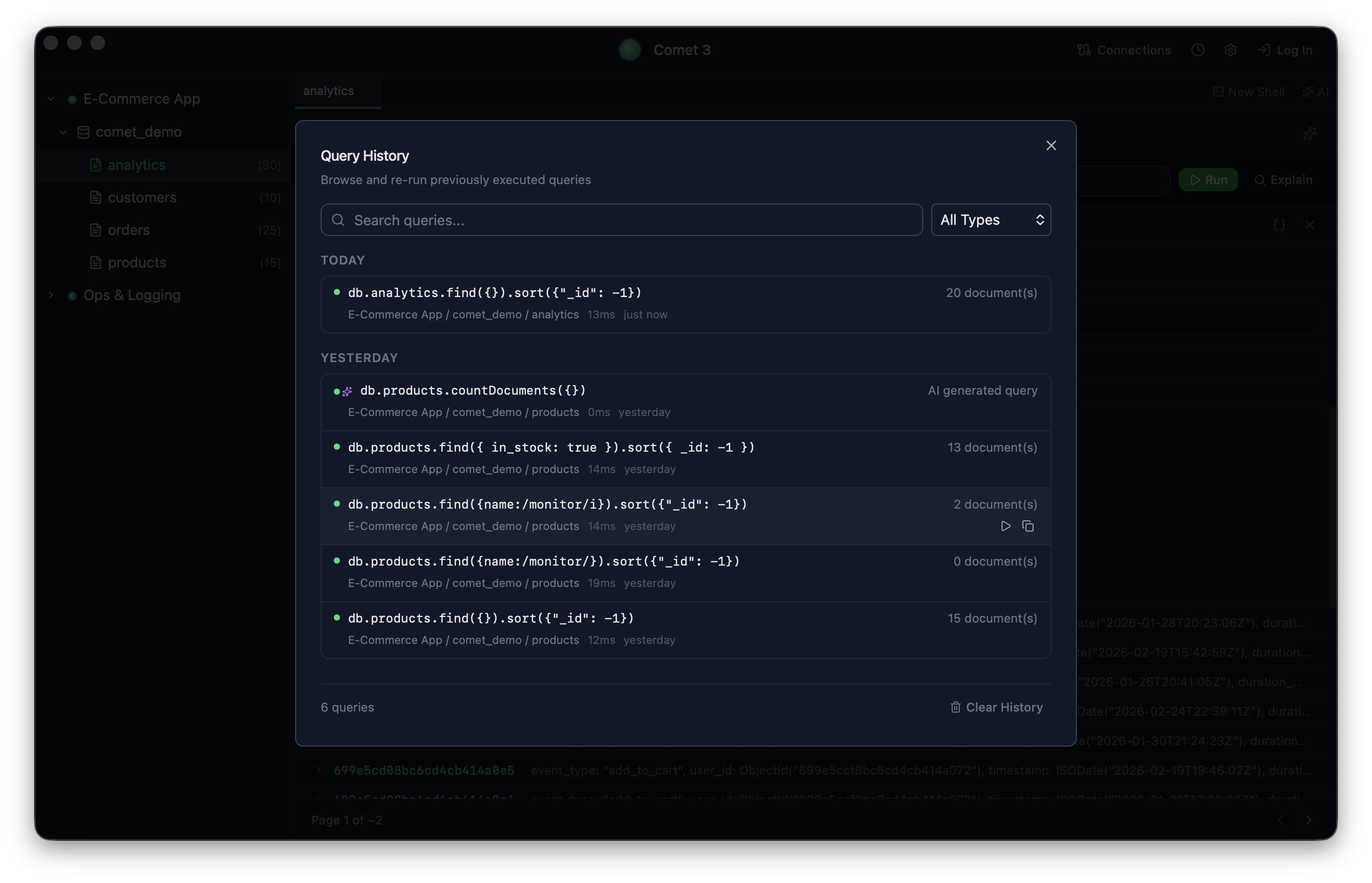
Full-text search across all executed queries. Find that aggregate pipeline from last week in seconds.
Filter by type — find, aggregate, update, delete — and by AI-generated flag. Narrow down to exactly what you need.
Entries grouped by Today, Yesterday, This Week, and Older. Click any entry to re-run it instantly.
Switch between databases instantly
Collection + shell tabs, middle-click to close
View and manage collection indexes
Navigate large collections smoothly
$eq, $gt, $in, $regex, and more
$match, $group, $lookup, $unwind...
Drag sidebar and shell splits
Tabs, layout, connections saved to disk
Cmd+Enter to run, shortcuts everywhere
Themes, page size, AI provider
One-click update, no re-download
Visualize query execution with ⇧⌘E
Install Comet. Free forever for individuals.
Install with Homebrew (recommended)
brew install --cask handcraftcode/comet/comet
After installing, remove the quarantine flag:
xattr -cr /Applications/Comet.app
macOS 12+ · Apple Silicon · Free forever · Pro from $49/yr